Recipe: tiered sale
Goal: a sale running through July and August, where the discount grows with the cart value.
- Spend $2,500, get 5% off
- Spend $7,000, get 7% off
- Spend $10,000, get 10% off
- Spend $15,000, get 12% off
Each tier is one group inside a single discount, with its own conditions, actions, and messages. The plugin evaluates groups top to bottom, and each tier stops the ones below it, so build the highest tier first.
-
Go to Advanced Discounts -> Discounts and click New discount. Name it “Summer Sale”.
-
Under Global Cart Conditions, add a Date Range covering July and August.

-
Leave Type on Advanced.
-
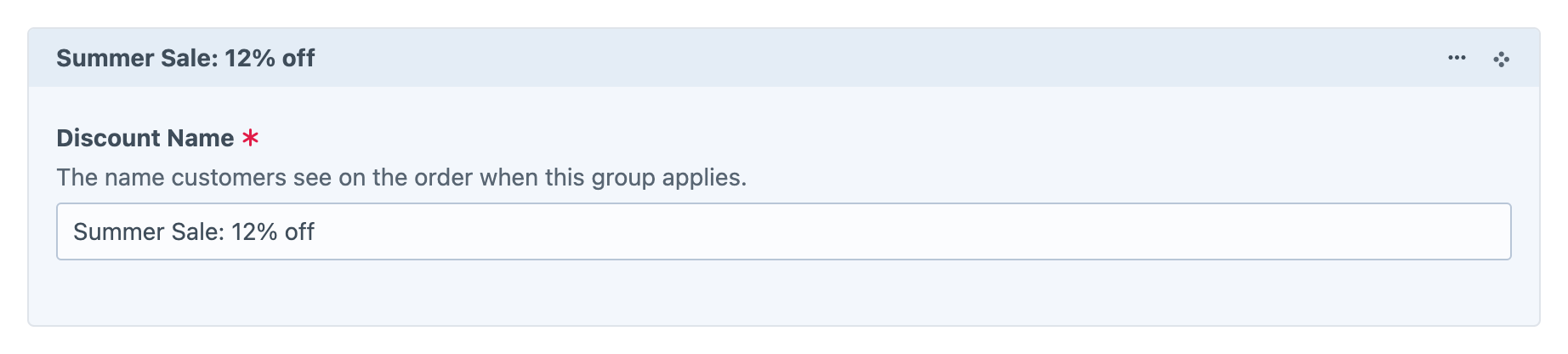
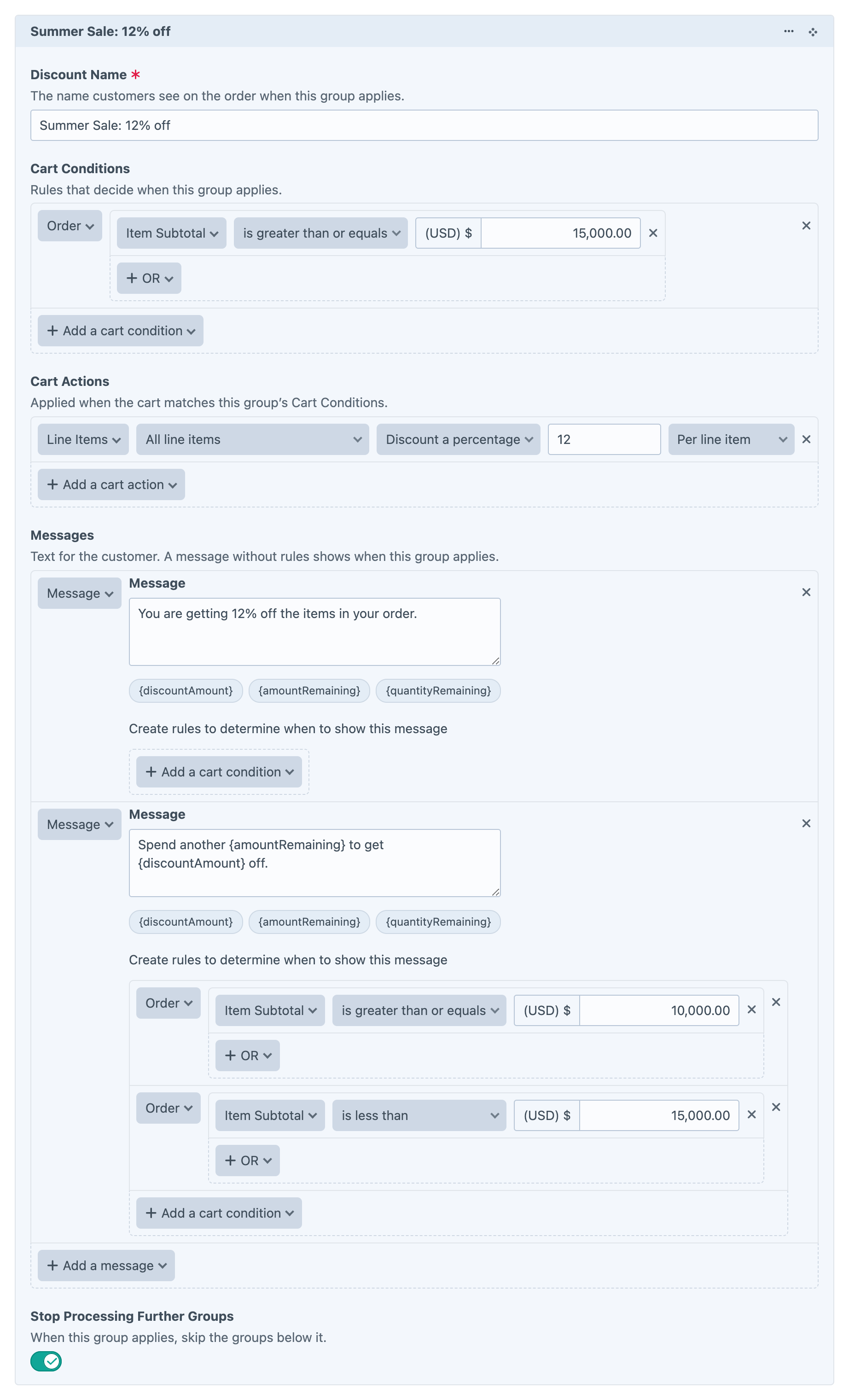
Start with the 12% tier. Give the group a Discount Name that names the tier.
-
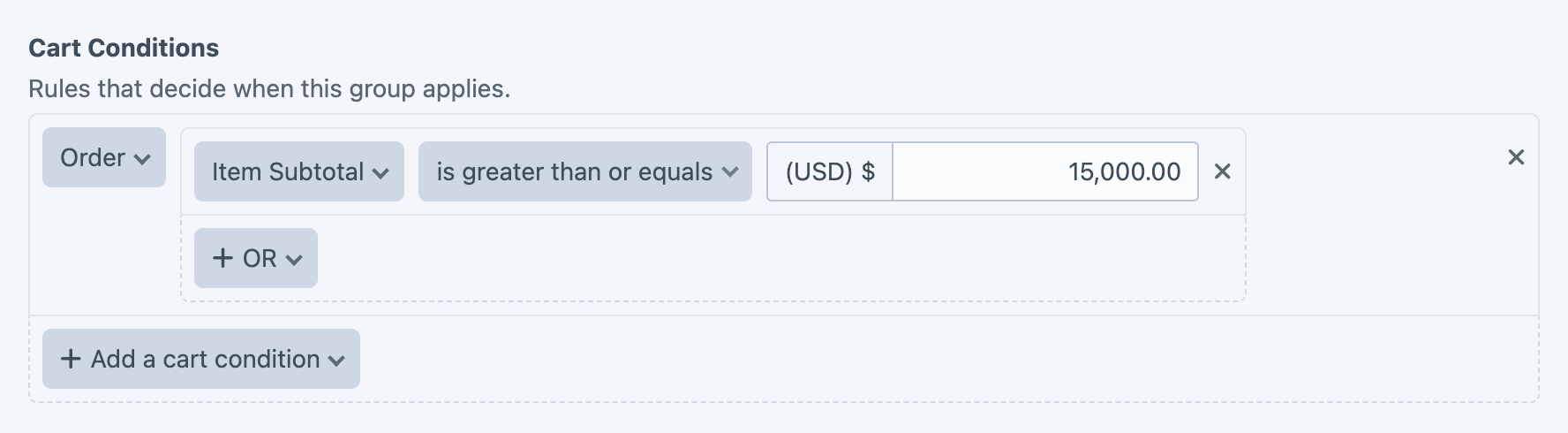
Under Cart Conditions, add an Order condition and set its Item Subtotal rule to is greater than or equals $15,000.
-
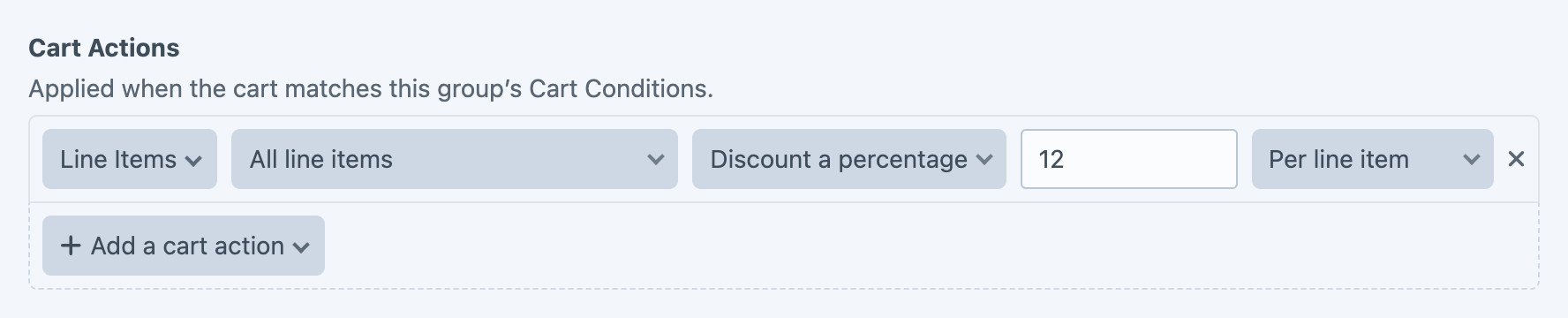
Under Cart Actions, add Line Items. Leave Apply to on All line items, choose Discount a percentage, and enter 12.
-
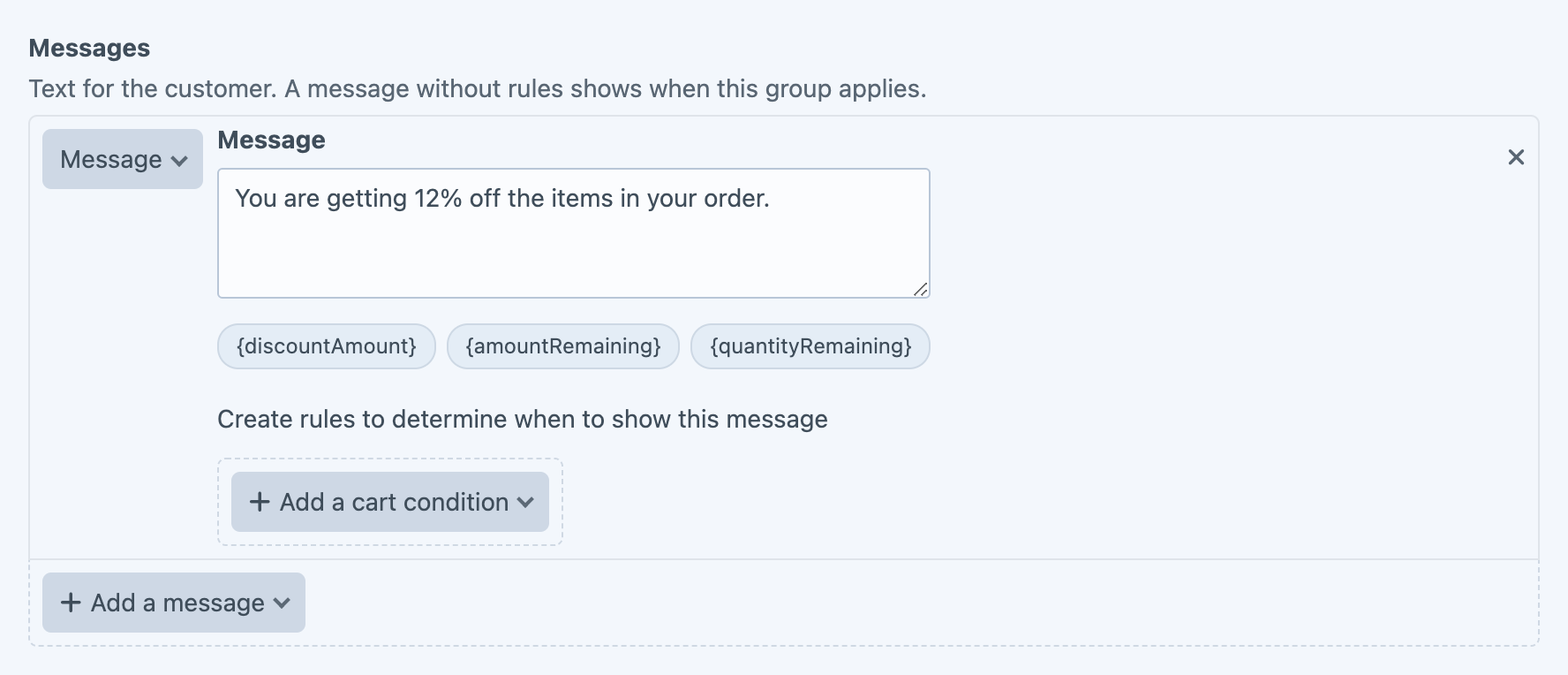
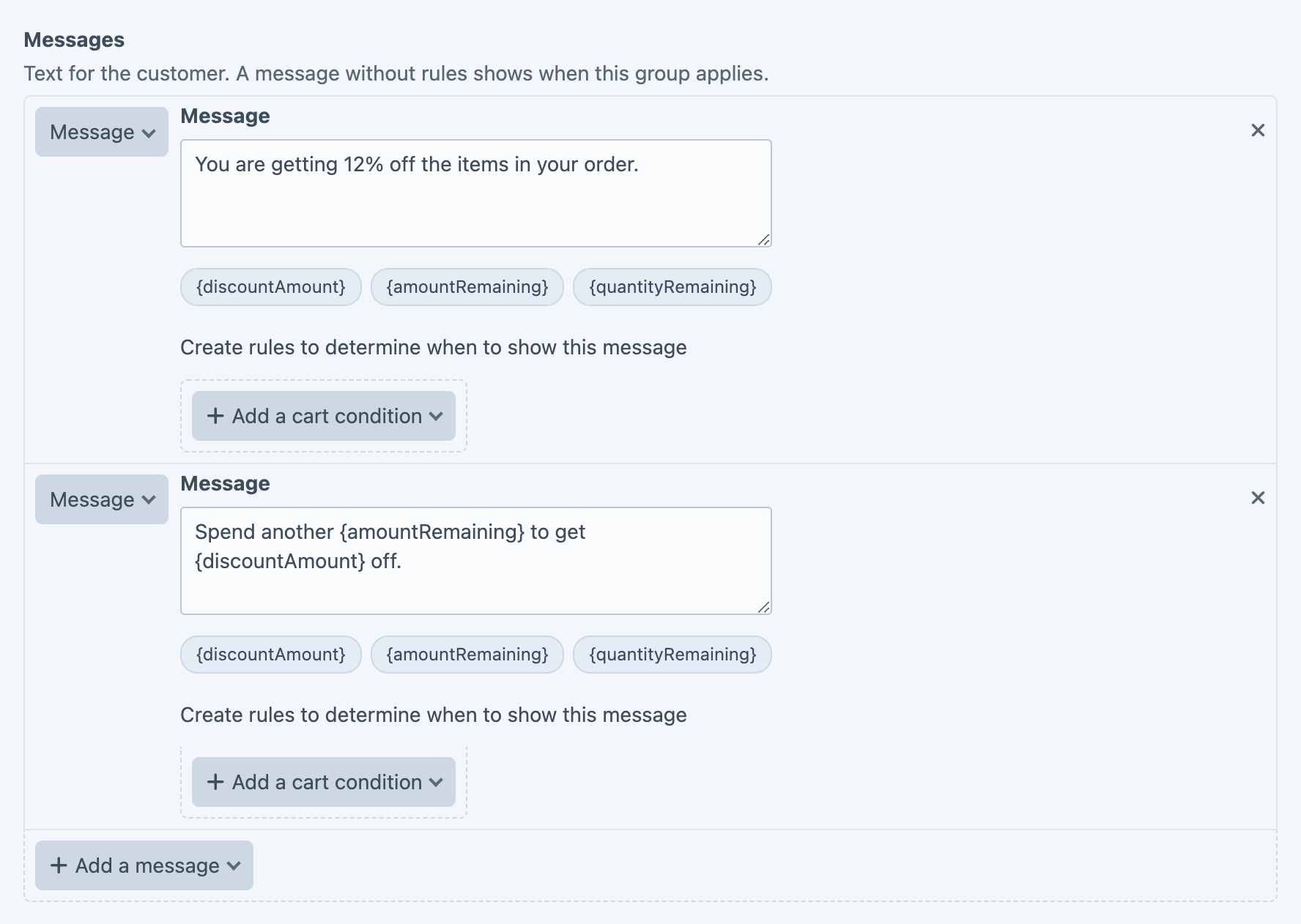
Add a message telling the customer they have qualified for 12% off. Leave it without show-when rules, so it shows whenever the group applies.
-
Add a second message showing how far the customer is from the tier, such as “Spend another {amountRemaining} to get {discountAmount} off”. For the full token list, see messages.
-
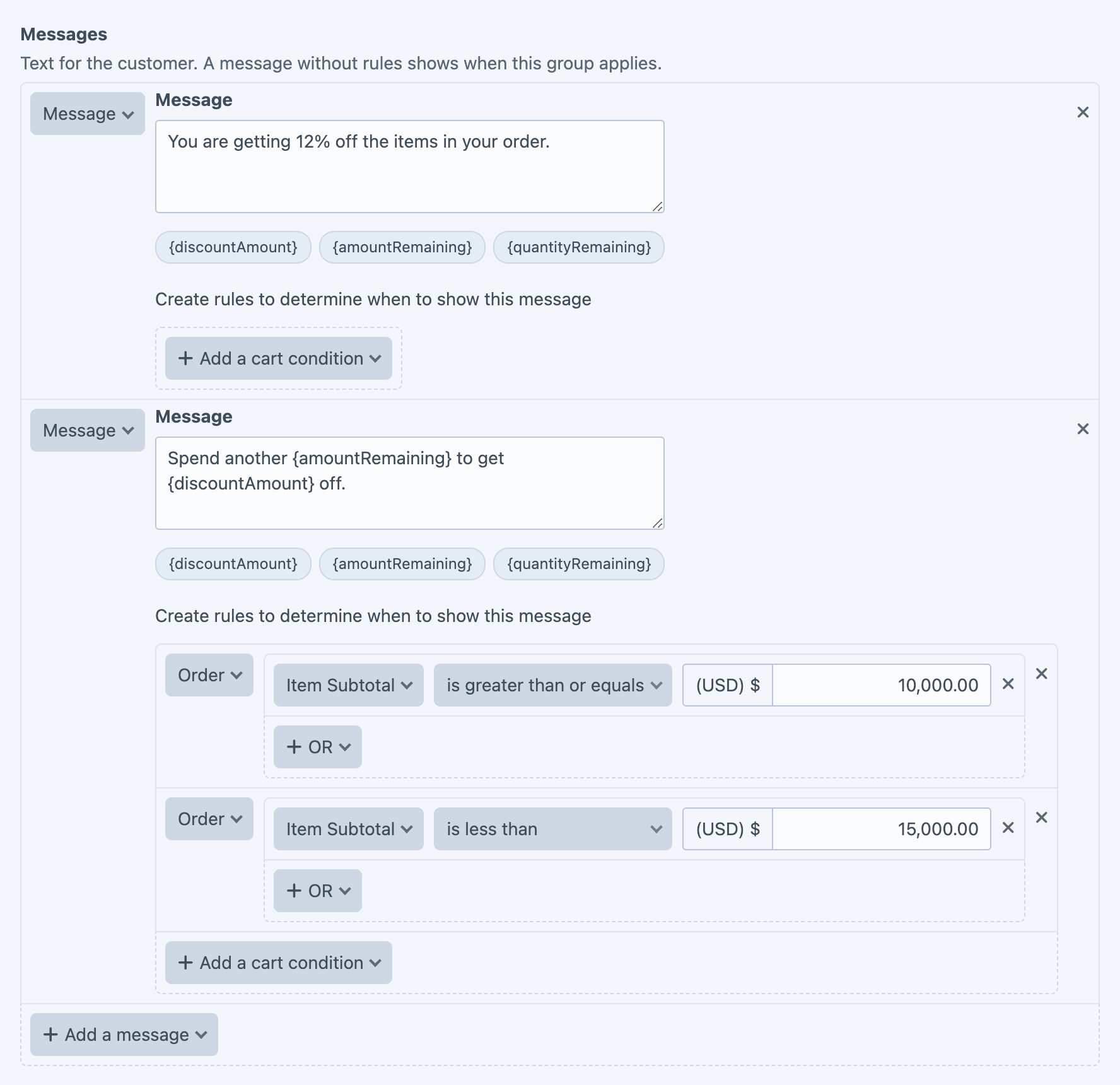
Give the second message two show-when rules, each its own Order condition: Item Subtotal is greater than or equals $10,000, and Item Subtotal is less than $15,000. Separate conditions must all match, so the message shows only between the two amounts.
-
Turn on Stop Processing Further Groups, so a cart at this tier does not also get the lower tiers.
-
Click Add group for each remaining tier, in descending order. Give each lower tier’s qualifying message show-when rules for both bounds, each its own Order condition, such as Item Subtotal is greater than or equals $10,000 and is less than $15,000 on the 10% tier. Stop Processing Further Groups does not hide messages.
-
Click Save discount.

Where to go next#
- Messages, the full token list and how show-when rules work.
- Displaying promotional messages, rendering the messages on the storefront.